How to Book Discounted Hotels and Activities via Agoda and Klook 🤑✈️
Use HEYIANCHOTEL on Agoda for up to 10% off hotels and HEYIANCKLOOK on Klook for up to 5% off activities. Here's the full step-by-step booking guide.


Whether you're planning a trip to Taiwan, Hong Kong, Singapore, or anywhere else in Asia, two platforms make the booking process significantly cheaper and more convenient: Agoda for hotels and Klook for activities, transport passes, and tours. And with the right promo codes, you can stack discounts on top of already-competitive prices before you even check out.
Here's the complete step-by-step guide. Ganito lang 'yan! 😉
The Two Platforms and What Each Is Best For 🔍
Before diving into the how-to, it helps to know where each platform excels:
| Agoda | Klook | |
|---|---|---|
| Best for | Hotel bookings | Activities, tours, transport passes |
| Also covers | Activities | Hotels, insurance, SIM cards |
| Promo code | HEYIANCHOTEL (hotels) · HEYIANC (activities) | HEYIANCKLOOK |
| Max discount | Up to 10% off hotels · up to 5% off activities | Up to 5% off sitewide |
| Uses per account | Up to 5X | 1X new users · existing users on select bookings |
The most efficient approach for any Asia trip: book your hotel on Agoda, book everything else on Klook.
Part 1: How to Book a Discounted Hotel on Agoda 🏨
Step 1: Download the Agoda App and Create an Account
Download the Agoda app on your phone (iOS or Android) and log in. If you don't have an account yet, sign up for free — your promo code savings are tied to your account, so you need to be logged in for the discount to apply.
Step 2: Claim Your Promo Code
There are two ways to claim the code:
Option A — Tap to Claim (Fastest): Tap the link below on your phone. This opens the Agoda app directly and saves the code to your account automatically — no typing needed.
→ Tap to claim HEYIANCHOTEL (up to 10% off hotels) → Tap to claim HEYIANC (up to 5% off activities)
Option B — Enter Manually:
- Open the Agoda app
- Tap Deals on the home screen
- Enter
HEYIANCHOTELin the promo code field - Tap Apply — the code saves to your account
⚠️ Important: Claim the code before you start browsing hotels — not after. The discount applies to your next eligible booking once the code is saved to your account.
Step 3: Search for Your Hotel
Enter your destination, travel dates, and number of guests. Agoda's inventory covers hundreds of thousands of hotels worldwide — from budget guesthouses near Ximending to mid-range picks near Taipei Main Station.
Use filters to narrow by price, rating, distance from a landmark, or amenities. Agoda shows the total price including taxes upfront, so what you see is what you pay.
Step 4: Select Your Hotel and Room Type
Tap on a hotel to see full details — photos, room types, amenities, cancellation policy, and guest reviews. Agoda's review system is one of the most comprehensive in the industry, with verified guest ratings broken down by category (room, cleanliness, location, service, facilities).
Pay attention to the cancellation policy — Free Cancellation options are widely available and worth selecting if your travel dates aren't finalized.
Step 5: Complete Your Booking
Proceed to checkout. The HEYIANCHOTEL discount will apply automatically to eligible bookings — you'll see the reduced price reflected before you confirm payment. Complete payment via credit card, debit card, GCash, or Maya.
Your booking confirmation will appear in the Agoda app — no printing needed. Show it on your phone at check-in along with your passport.
💡 Pro Tip: The HEYIANCHOTEL code is usable up to 5 times per account. This means you can apply it across multiple trips — not just one booking.Part 2: How to Book Discounted Activities and Transport on Klook 🎟️
Step 1: Download the Klook App and Create an Account
Download the Klook app on your phone and sign up or log in. New users get the highest discount rate on the promo code, so if you haven't used Klook before, this is the right time to start.
Step 2: Claim Your Klook Promo Code
Tap the link below on your phone to open the Klook app and save the code to your wallet automatically:
→ Tap to claim HEYIANCKLOOK (up to 5% off)
The code saves to your Klook Wallet and can be applied at checkout on your next eligible booking.
Step 3: Search for What You Need
Klook covers a wide range of travel essentials — search by destination or category:
Transport Passes:
- 🚇 Taiwan EasyCard — reloadable tap card for MRT and buses across Taiwan
- 🎫 Taipei Fun Pass Unlimited — unlimited MRT, buses, tourist shuttles + 30+ attraction entrances
- 🎫 Taipei Transport Fun Pass — unlimited transport without attraction tickets
- 🎫 Unlimited MRT Pass — unlimited Taipei MRT rides only
- 🚅 Taiwan HSR Tickets — bullet train between Taipei, Taichung, Chiayi, and Kaohsiung
- 🚅 Taiwan HSR Rail Pass — unlimited HSR rides for multiple days
Airport Transfers:
- ✈️ Airport MRT Tickets — Taoyuan Airport to Taipei Main Station
- 🚌 Kuo-Kuang Bus 1819 — 24-hour bus from Taoyuan Airport to Taipei Main Station
- 🚐 Private Airport Transfer — door-to-door, best for late arrivals and groups
Day Tours:
- 🏮 North Coast Day Tour — Yehliu Geopark, Jiufen, Shifen and more
- 🏙️ Taichung Day Tour from Ximending — Rainbow Village, Miyahara, and more
Internet:
- 📶 Data eSIM for Taiwan — activate before your flight, no physical pickup
- 📶 Physical SIM Card — pick up at the airport
- 📶 Pocket WiFi — shareable across up to 5 devices
Step 4: Apply Your Code at Checkout
When you're ready to book, proceed to checkout. Apply HEYIANCKLOOK from your Klook Wallet at the payment screen. The discount applies to eligible bookings and the reduced total will show before you confirm payment.
Step 5: Save Your Booking Confirmation
All bookings are stored in the Klook app under My Bookings. Show the QR code or confirmation on your phone when claiming tickets, boarding tours, or picking up your transport card. No printing needed.
💡 Pro Tip: Book transport passes (EasyCard, Fun Pass, HSR tickets) before your flight — some can be claimed at Taoyuan Airport the moment you land, making your arrival completely seamless. Read the airport arrival guide →
Using Both Platforms Together: The Smart Approach 🧠
For a complete Taiwan, Hong Kong, or Singapore trip, here's the optimal booking split:
| What You Need | Book On | Code to Use |
|---|---|---|
| Hotel | Agoda | HEYIANCHOTEL — up to 10% off |
| HK Disneyland tickets | Agoda Activities | HEYIANC — up to 5% off |
| EasyCard / Fun Pass / MRT Pass | Klook | HEYIANCKLOOK — up to 5% off |
| Taiwan HSR tickets | Klook | HEYIANCKLOOK — up to 5% off |
| Airport transfer | Klook | HEYIANCKLOOK — up to 5% off |
| Day tours | Klook | HEYIANCKLOOK — up to 5% off |
| eSIM / SIM / Pocket WiFi | Klook | HEYIANCKLOOK — up to 5% off |
Destination Guides to Help You Plan 🗺️
Already know where you're going? Here are the full destination guides with all booking links in one place:
- 🇹🇼 The Only Taiwan Itinerary You Need as a First Timer →
- 🇹🇼 Taiwan First Timer Guide: Everything You Need to Know Before Your Trip →
- 🇹🇼 8 Taiwan Travel Budget Hacks →
- 🇭🇰 The Only Hong Kong Itinerary You Need as a First Timer →
- 🇸🇬 The Only Singapore Itinerary You Need as a First Timer →
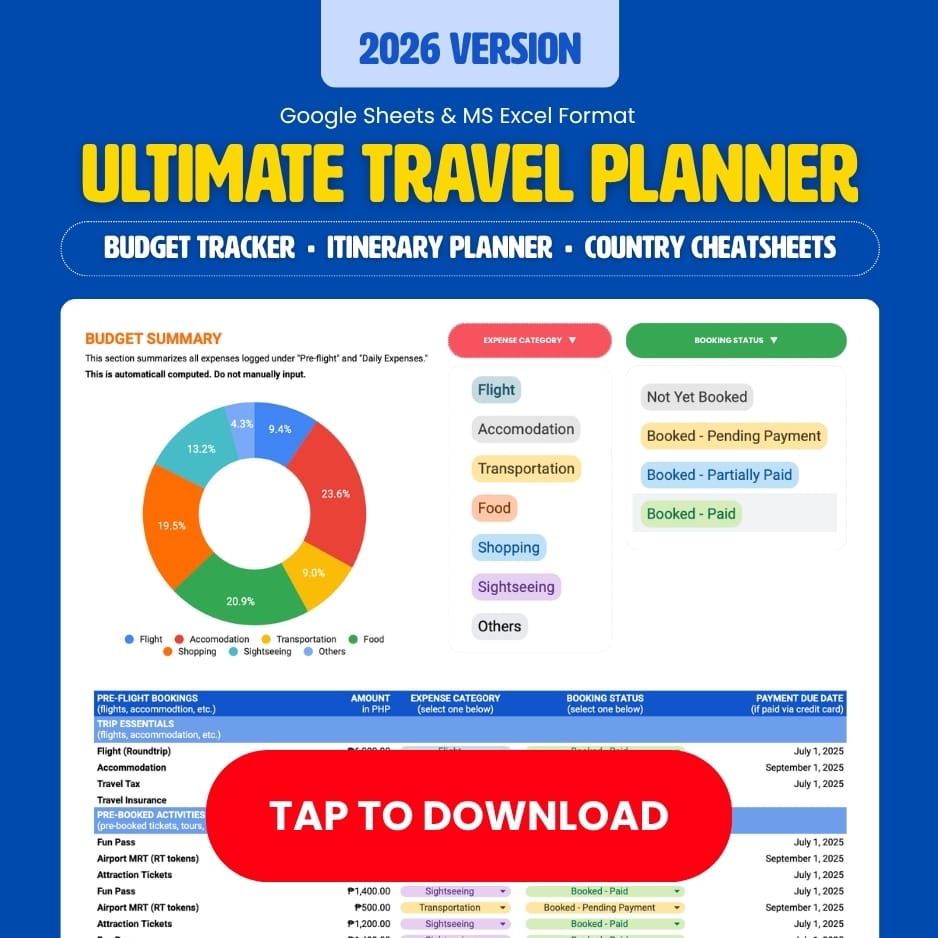
- 📊 Download the Free All-in-One Travel Budget and Itinerary Planner →
Frequently Asked Questions ❓
How do I get a discount on Agoda hotels? Use promo code HEYIANCHOTEL for up to 10% off hotel bookings on Agoda. Open the Agoda app → tap Deals → enter the code → tap Apply. Usable up to 5 times per account.
How do I get a discount on Klook? Use promo code HEYIANCKLOOK for up to 5% off on Klook. Tap the link on your phone to save the code to your Klook Wallet automatically.
Can I use Agoda and Klook promo codes together? Yes — for different things. Use HEYIANCHOTEL on Agoda for your hotel and HEYIANCKLOOK on Klook for activities and transport. Both codes work simultaneously on their respective platforms.
Which is better for hotels — Agoda or Klook? Agoda is the stronger platform for hotel bookings with a larger inventory and up to 10% off with HEYIANCHOTEL. Klook also offers hotel bookings but is better known for activities and transport passes.
Does the Klook promo code work for existing users? Yes — HEYIANCKLOOK gives up to 5% off for new users and up to 3% off hotels for existing users. It applies to hotels, activities, transport passes, and insurance.
What is the best way to save on Asia travel bookings? Book your hotel on Agoda with HEYIANCHOTEL (up to 10% off) and everything else on Klook with HEYIANCKLOOK (up to 5% off). Stack both codes on top of existing sale prices for maximum savings.
🏷️ Claim Your Codes Now
✅ Agoda Hotels — Up to 10% off · HEYIANCHOTEL | Claim Code → |
✅ Agoda Activities — Up to 5% off · HEYIANC | Claim Code → |
✅ Klook — Up to 5% off hotels, insurance & activities · HEYIANCKLOOK | Claim Code → |
⚠️ Codes are limited use only. Tap the links above on your phone to open the app and save the code before your next booking.
Hope this helps! More travels soon!